
Which Barcode Printer Is Best? Zebra, Dymo and Brother Compared
Barcode label printers from Zebra, Dymo and Brother all print scannable labels, but they suit different jobs. Zebra is built for shop and warehouse workloads that run all day. Dymo suits low desktop volumes and office labelling. Brother sits between the two and handles both desk and portable work.
Which barcode label printer is best?
The best barcode label printer is the one that matches your daily volume. Zebra suits shops and warehouses printing all day. Dymo suits an office or counter printing a handful of labels. Brother sits in the middle and adds portable models. Start with how many labels you print, not with the brand name.
All three print a barcode your scanner can read, so the barcode itself is not the deciding factor. What separates them is build, speed, label supply and how much printing they will take before they wear out. A printer bought for the wrong volume either costs too much or dies early.
Work out three things first. How many labels do you print in a normal day. Where does the printer sit, on a desk, at a till, or moving around a warehouse. And what goes on the label, a plain barcode and price, or product names, dates and stock codes as well.
What is the difference between Zebra, Dymo and Brother?
Zebra builds industrial and desktop printers for heavy retail and warehouse use, with a wide choice of label sizes. Dymo builds small desktop printers for light office and counter work at the lowest entry cost. Brother covers desktop and portable label printing, with tape and label models that suit both office and shop floor.
| Brand | Built for | Typical use | Labels |
|---|---|---|---|
| Zebra | Heavy, all-day printing | Retail back office, stockrooms, warehouses | Wide range of standard roll sizes |
| Dymo | Light, occasional printing | Offices, counters, small shops | Dymo-specific label rolls |
| Brother | Desk and portable printing | Offices, shop floor, mobile staff | Brother label rolls and tape cassettes |
Each brand runs on its own labels. Dymo printers take Dymo rolls. Brother printers take Brother rolls or tapes. Zebra takes standard label rolls in many sizes, which is why it is the flexible option if your label size changes by job. Check the label supply before you commit to a printer, because that is the cost you keep paying.
What labels do barcode printers use?
Most barcode label printers use direct thermal labels, which print with heat and need no ink or ribbon. Some models also run thermal transfer, which uses a ribbon and gives a longer lasting print. Direct thermal is simpler and cheaper. Thermal transfer suits labels that face sunlight, heat or long storage.
Direct thermal works the same way as a till receipt. The print head heats the coating on the label and the marks appear. There is nothing to replace but the labels. The trade off is that the print fades over time and with heat or sunlight, so it suits stock that moves.
Thermal transfer melts ink from a ribbon onto the label. It costs more to run because you buy ribbons as well as labels, and the print holds up for far longer. Use it for asset labels, chilled and frozen stock, or anything sitting in a warehouse for months.
- Direct thermal for shelf labels, shipping labels and fast moving stock.
- Thermal transfer for long life labels, cold storage and outdoor use.
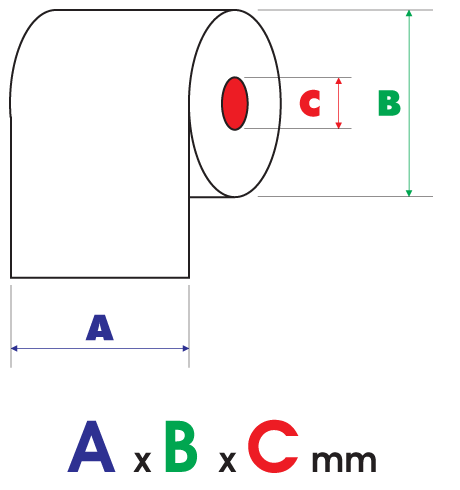
- Label size must be one your printer supports, so check the maximum print width.
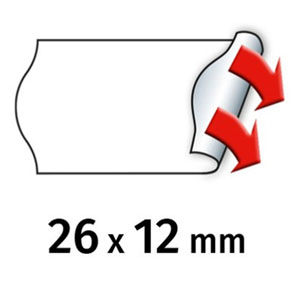
- Adhesive matters as much as it does on price gun labels, permanent or peelable.
Do you need a barcode printer or a price gun?
Use a price gun when you only need a price on the shelf or the product. Use a barcode label printer when the label has to be scanned, or carry a product name, code or date. Many Irish shops keep both, a price gun for shelf edge work and a printer for barcoded product labels.
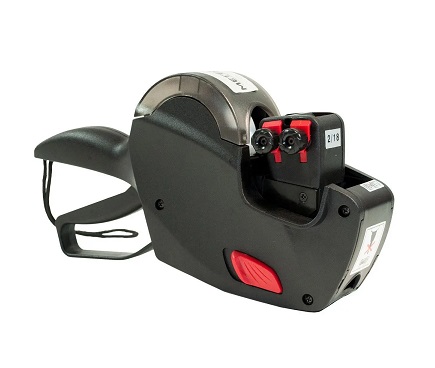
A price gun needs no power, no computer and no setup. It prints and sticks a label in one squeeze, which is why it is still the quickest way to price a shelf. See how do pricing guns work for the mechanism behind that squeeze.
A barcode printer connects to your till or back office system and prints what that system tells it to. That is what you want for stock control, scanning at the till, and any label carrying data a person should not be retyping. The full picture of both sits in the price guns and labelling guide.
Barcode label printers and labels
Zebra, Dymo and Brother printers with matching label supplies, at trade prices with fast Irish delivery from our Cavan warehouse.
What should you check before you buy?
Check five things: your daily label volume, the label sizes you need, whether the printer connects to your till or back office system, how the printer will be used at the desk or on the move, and the price and availability of its labels. The label cost outlives the printer cost.
- Volume. Light daily use points at Dymo or Brother. All day use points at Zebra.
- Connection. USB is fine at a desk. Network or wireless matters if several staff print to it.
- Software. Confirm your EPOS or stock system supports the printer before ordering.
- Label supply. Make sure the rolls you need are easy to reorder and stay in stock.
- Print width. Buy for the widest label you print, not the one you print today.
If you sell clothing, remember that some tickets never go through a printer at all. Swing tickets go on with a tag gun and a plastic fastener, covered in tag guns and fasteners.
Where to buy barcode label printers in Ireland
Shop4Rolls supplies barcode label printers and their labels to shops, warehouses and offices across Ireland. Browse Zebra label printers, Dymo printers and labels and Brother printers and labels, or the full price guns and labels range.
Frequently asked questions
Which barcode printer is best?
The best barcode printer is the one that matches your daily volume. Zebra suits shops and warehouses printing all day, Dymo suits an office or counter printing a handful of labels, and Brother covers desk and portable work in between. Decide on volume, label size and how the printer connects before you pick a brand.
What is the difference between Zebra and Dymo?
Zebra builds printers for heavy, all day label printing in retail and warehouse settings, and takes a wide range of standard label rolls. Dymo builds small desktop printers for light office and counter use at a lower entry cost, and takes Dymo specific label rolls. Zebra is the choice for volume, Dymo for occasional printing.
What labels do barcode printers use?
Most barcode printers use direct thermal labels, which print with heat and need no ink or ribbon. Some models also run thermal transfer, which melts ink from a ribbon onto the label for a longer lasting print. Dymo and Brother printers take their own branded label rolls, so check compatibility before ordering.
Do I need a price gun or a barcode printer?
Use a price gun for fast, simple price labels on shelves and stock, as it is cheap, quick and needs no power. Use a barcode label printer such as Zebra, Dymo or Brother when you need scannable barcodes, product names, or variable data printed at the till or back office. Many shops use both.
Can a barcode printer print price labels too?
Yes. A barcode label printer can print a price alongside the barcode, plus product names, codes and dates from your till or stock system. It is slower and more expensive per label than a price gun, so most shops keep a price gun for plain shelf pricing and use the printer where the label must be scanned.
Do barcode printers need ink?
Direct thermal barcode printers need no ink, ribbon or toner. The print head heats a coating on the label and the marks appear, so the only thing you buy is labels. Thermal transfer printers do need a ribbon, which costs more to run but produces a print that lasts far longer in heat, cold or sunlight.